Start here · about 10 min
Make your first movie recap.
Two tools. FlixiCam downloads the film from Netflix, Prime Video, Disney+ or HBO Max onto your computer. Instant Recap turns that file into a narrated, captioned recap while you do something else.
You need a Mac or Windows computer for the download step. Reading this on your phone? Send the page to yourself and pick it up there.
1 min 46 s · the whole flow, from download to finished recap
GUIDE · ABOUT 10 MINUTES
How to get a movie file for your recap
Instant Recap needs the film as a video file on your computer, plus its subtitles. FlixiCam downloads films from almost any streaming site, including Netflix, Prime Video, Disney+, HBO Max and Hulu, and saves the subtitles next to them.
YOU NEED
FlixiCam installed
YOU NEED
An account on any streaming site
YOU GET
Movie.mp4, subtitles inside
01
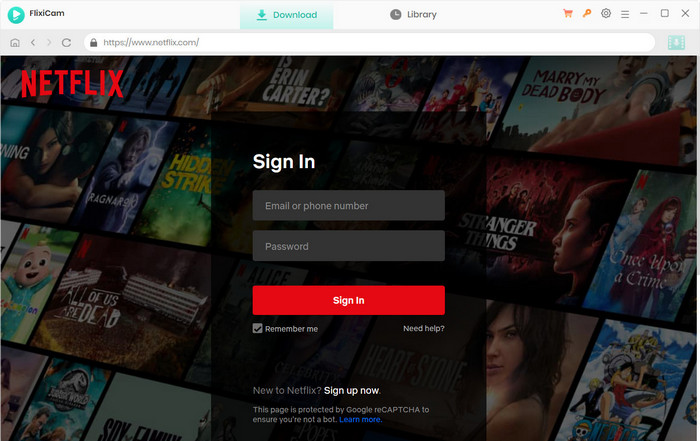
Open FlixiCam and pick the service
Launch FlixiCam and choose whichever streaming site has the film. Netflix, Prime Video, Disney+, HBO Max, Hulu and many more are supported.
One Mac installer covers Intel and Apple Silicon Macs, macOS 11 or later · Windows 10 or 11
02
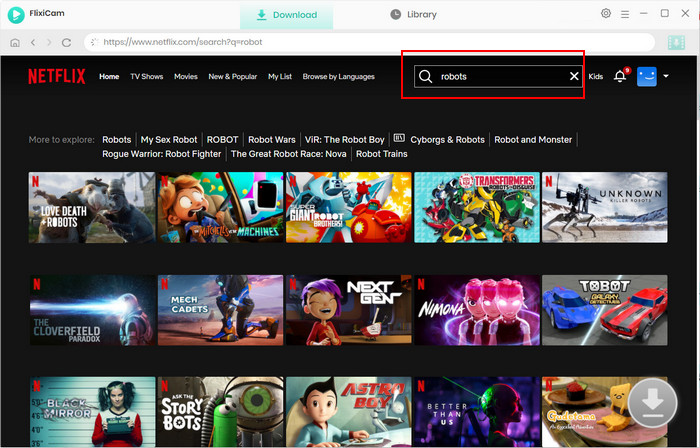
Sign in and find the film
Log in with your own account inside FlixiCam, then search for the movie by name.
03
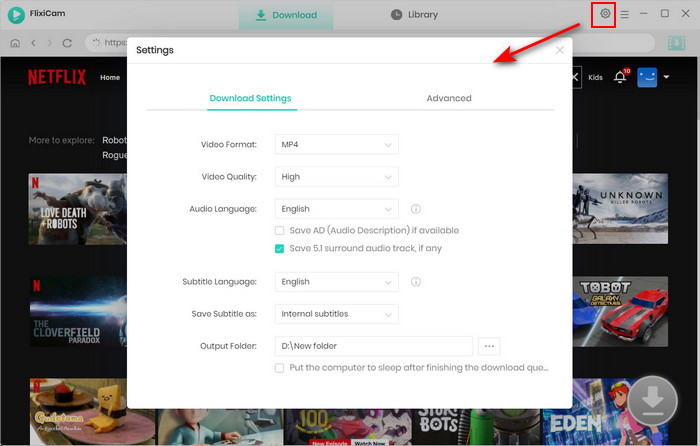
Set the output before downloading
Open Settings in FlixiCam and match these values. Subtitles stay inside the movie, so an external SRT is optional. Just don't pick Hardcode, which burns them into the picture.
Video formatMP4
Video qualityHigh
Subtitle languageEnglish
Save subtitles asInternal (default) · External SRT optional
04
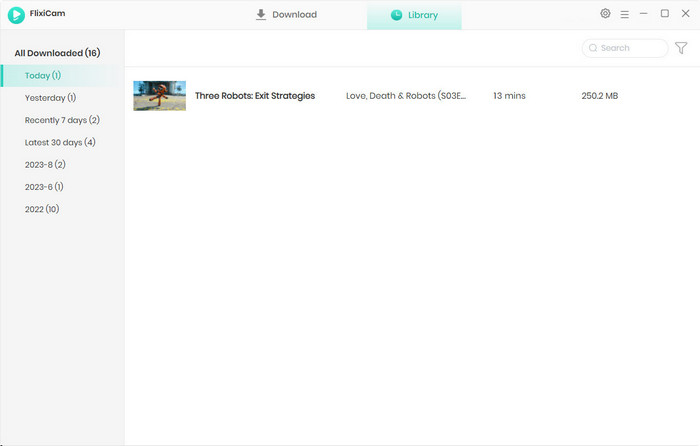
Download and open the output folder
Press download and wait for it to finish. The movie lands in FlixiCam's output folder with its subtitles inside. If you chose External, an .srt with the same name sits beside it.
FlixiCam/Output/
Inception.mp4
Inception.srt · optional
05
Drop the movie into Instant Recap
Drag the .mp4 into the drop box. Subtitles are read from inside the file; if you saved an .srt, add it under Subtitles. Pick a length, then generate.
No .srt file? That's fine
You don't need one. Instant Recap reads the subtitles inside the movie. Only if FlixiCam burned them into the picture (Hardcode) do you need to download again with Internal or External.
Keep the names matching
Only matters if you use an .srt: if you rename the movie, rename the subtitle file the same way so they stay paired.
Download is slow
A full film at high quality can take a while. Start the next download while Instant Recap renders the first.
Got the movie file? You're two minutes away.
Drop it into Instant Recap, pick a narrator and a length, and it renders in the background. Failed renders return their credits.