Instant Recap
Drop in a movie. Get back a narrated recap.
Instant Recap reads the film and its subtitles, writes the story, narrates it and cuts the footage to match. Pick a voice and a length, then add it to your queue.
01
Get the movie file
Download it with FlixiCam from any streaming site: Netflix, Prime Video, Disney+, HBO Max and more. Subtitles come along inside the file.
Read the 5-step guide 02
Drop it in and set it up
Add the subtitles, choose the narrator and how long the recap should run.
03
Add to queue
It renders in the background. Queue the next film while you wait.
NEW RECAPMP4 · MKV · MOV
Drop your movie file here
or browse your computer
SubtitlesAutomatic
Browse
Picked up automatically from the same folder as your movie. Browse only if it's missing.
Narrator
Lengthminutes
5678910
Shorter renders faster and avoids copyright claims. Cost stays about the same.
Background music
Captions on video
ShowHide
Background music and captions change the video further, which helps avoid copyright claims.
Add a movie file to see the cost.
GUIDE · ABOUT 10 MINUTES
How to get a movie file for your recap
Instant Recap needs the film as a video file on your computer, plus its subtitles. FlixiCam downloads films from almost any streaming site, including Netflix, Prime Video, Disney+, HBO Max and Hulu, and saves the subtitles next to them.
YOU NEED
FlixiCam installed
YOU NEED
An account on any streaming site
YOU GET
Movie.mp4, subtitles inside
01
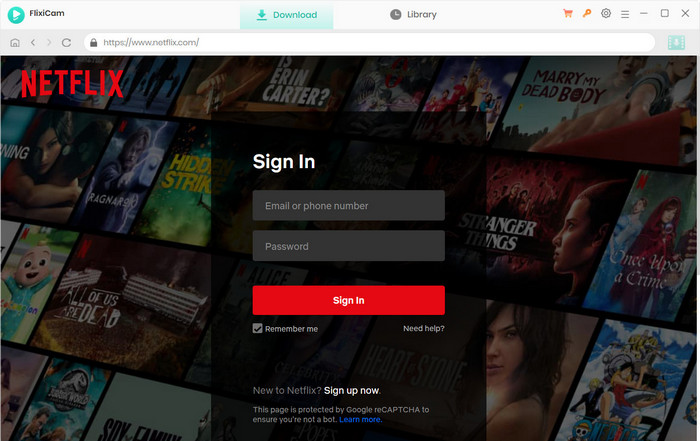
Open FlixiCam and pick the service
Launch FlixiCam and choose whichever streaming site has the film. Netflix, Prime Video, Disney+, HBO Max, Hulu and many more are supported.
One Mac installer covers Intel and Apple Silicon Macs, macOS 11 or later · Windows 10 or 11
02
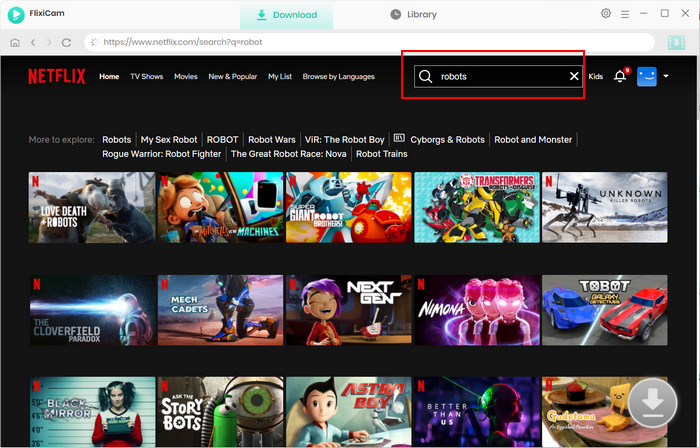
Sign in and find the film
Log in with your own account inside FlixiCam, then search for the movie by name.
03
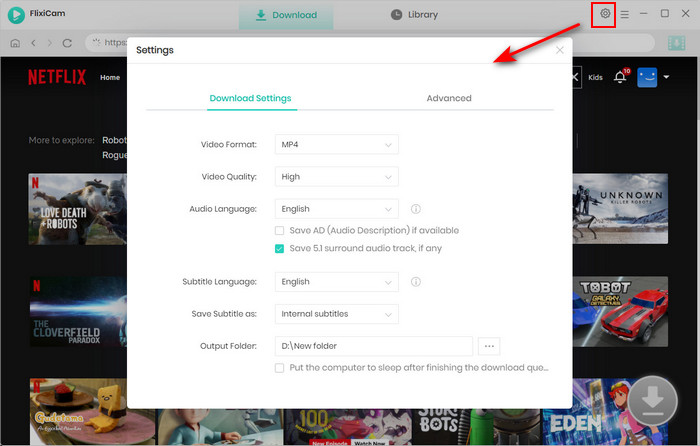
Set the output before downloading
Open Settings in FlixiCam and match these values. Subtitles stay inside the movie, so an external SRT is optional. Just don't pick Hardcode, which burns them into the picture.
Video formatMP4
Video qualityHigh
Subtitle languageEnglish
Save subtitles asInternal (default) · External SRT optional
04
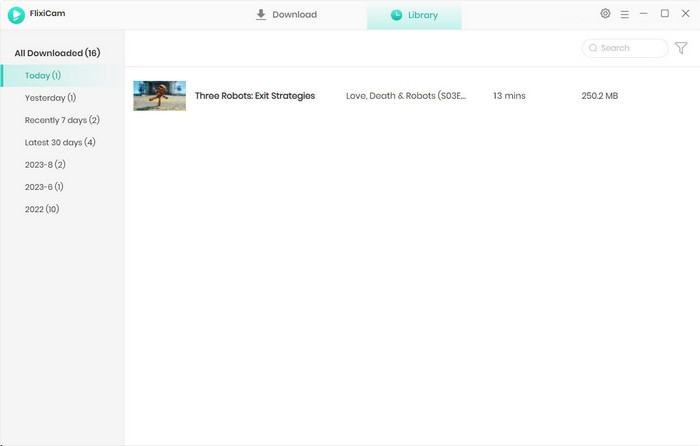
Download and open the output folder
Press download and wait for it to finish. The movie lands in FlixiCam's output folder with its subtitles inside. If you chose External, an .srt with the same name sits beside it.
FlixiCam/Output/
Inception.mp4
Inception.srt · optional
05
Drop the movie into Instant Recap
Drag the .mp4 into the drop box. Subtitles are read from inside the file; if you saved an .srt, add it under Subtitles. Pick a length, then generate.
No .srt file? That's fine
You don't need one. Instant Recap reads the subtitles inside the movie. Only if FlixiCam burned them into the picture (Hardcode) do you need to download again with Internal or External.
Keep the names matching
Only matters if you use an .srt: if you rename the movie, rename the subtitle file the same way so they stay paired.
Download is slow
A full film at high quality can take a while. Start the next download while Instant Recap renders the first.
Demo · 2 minutes
How to use Instant Recap
From dropping in the movie file to a finished recap in your queue.
How it worksExample results
Make My First Recap
PROOF
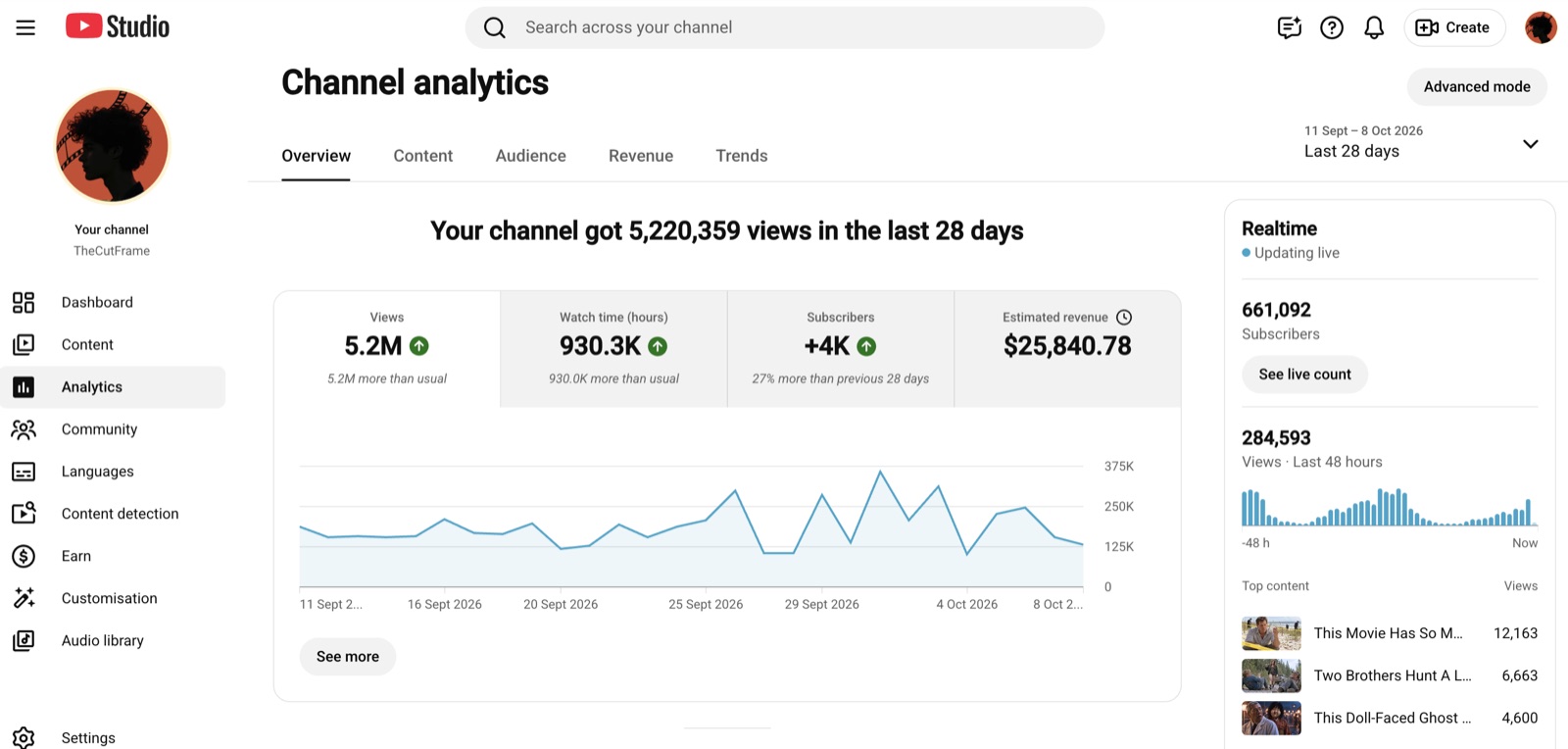
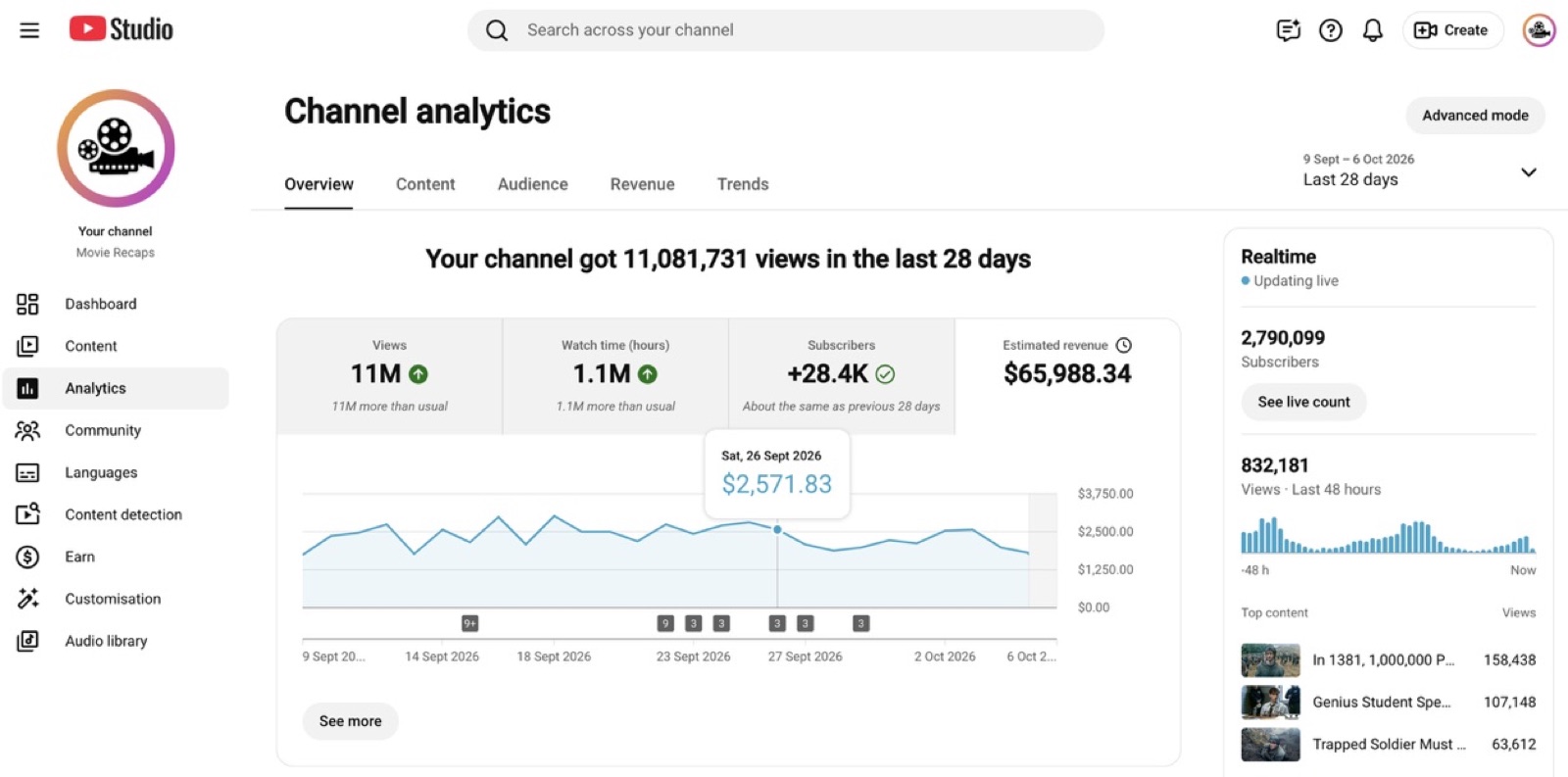
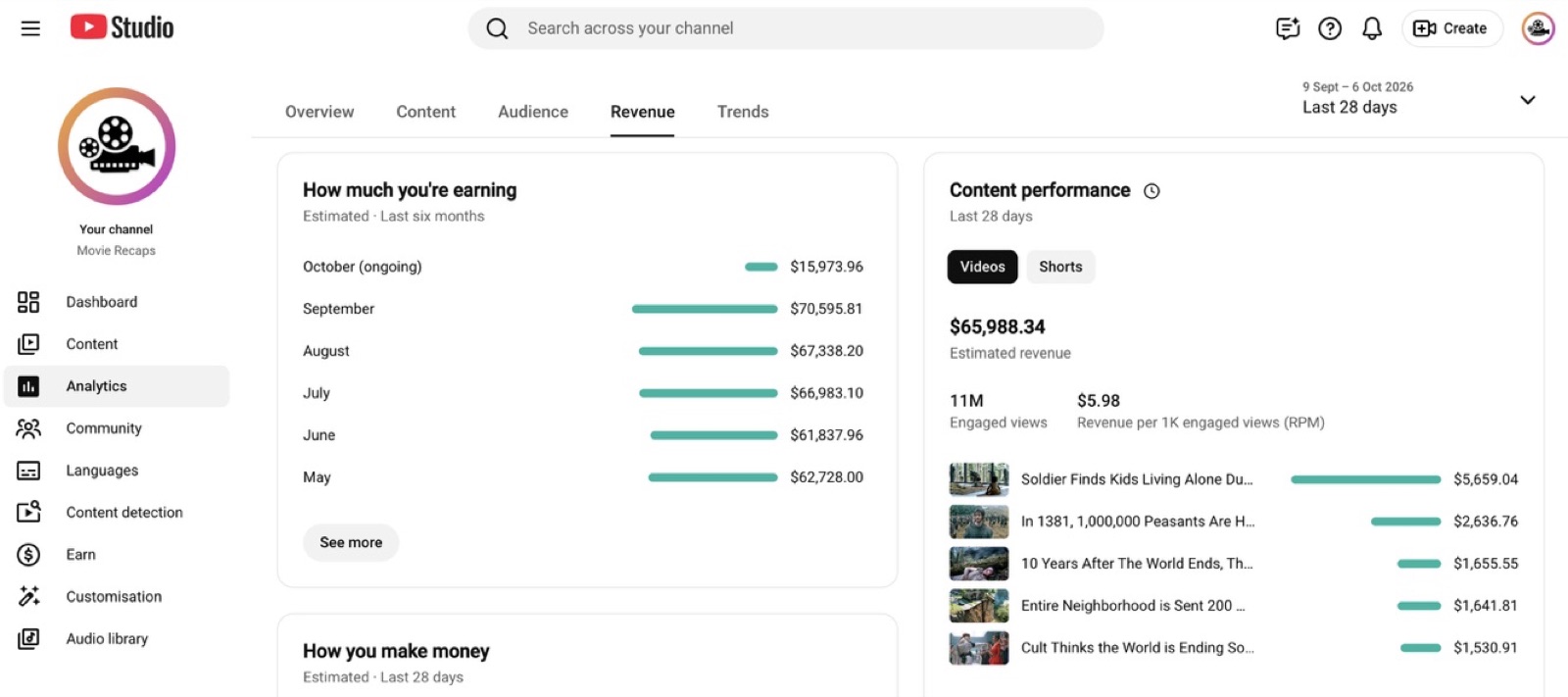
Recap channels are getting paid
YouTube earnings shared by movie recap channels. The difference between them and everyone else is how many videos they put out.
CHANNEL
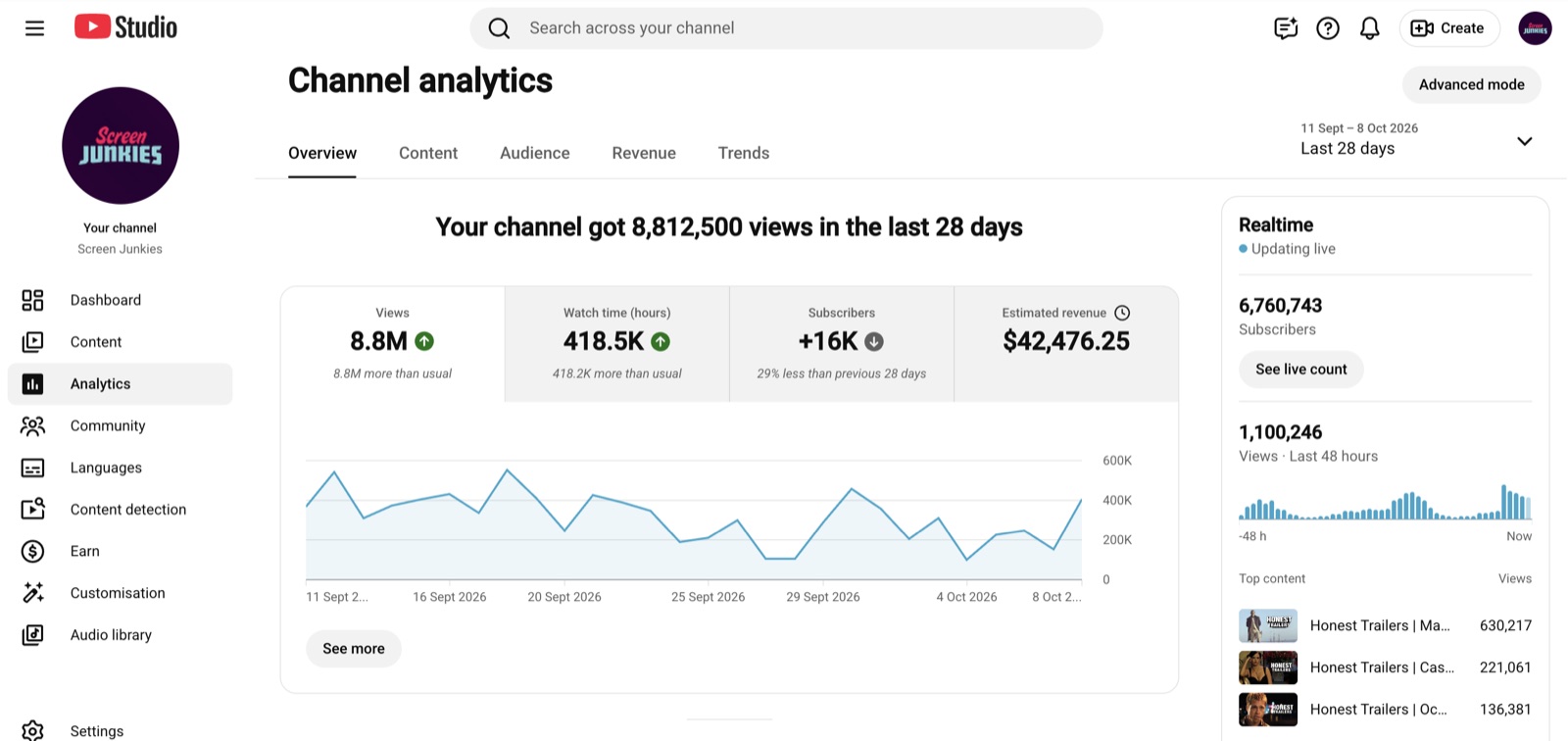
REVENUE
Movie recap channel · last 28 days
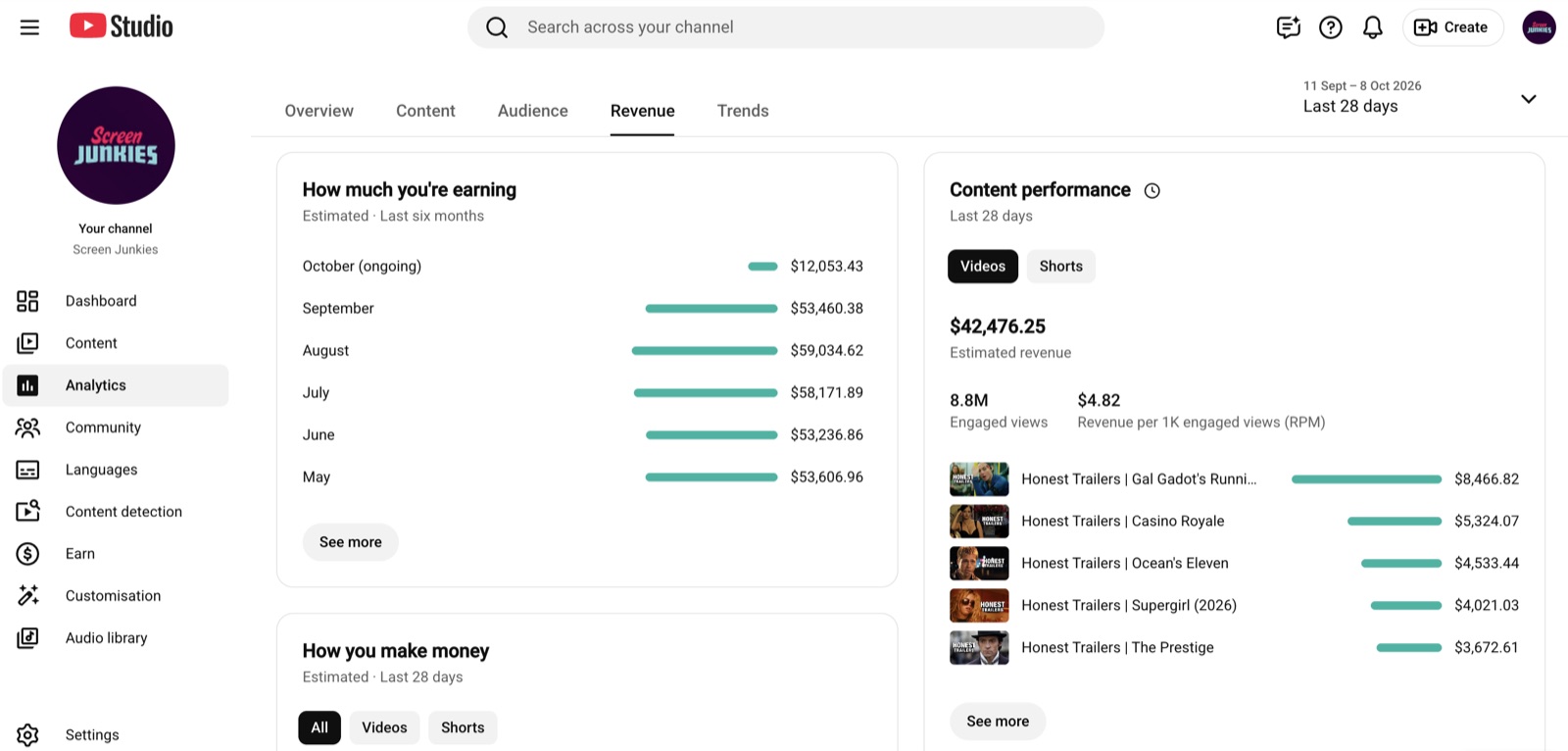
CHANNEL
REVENUE
Movie recap channel · last 28 days
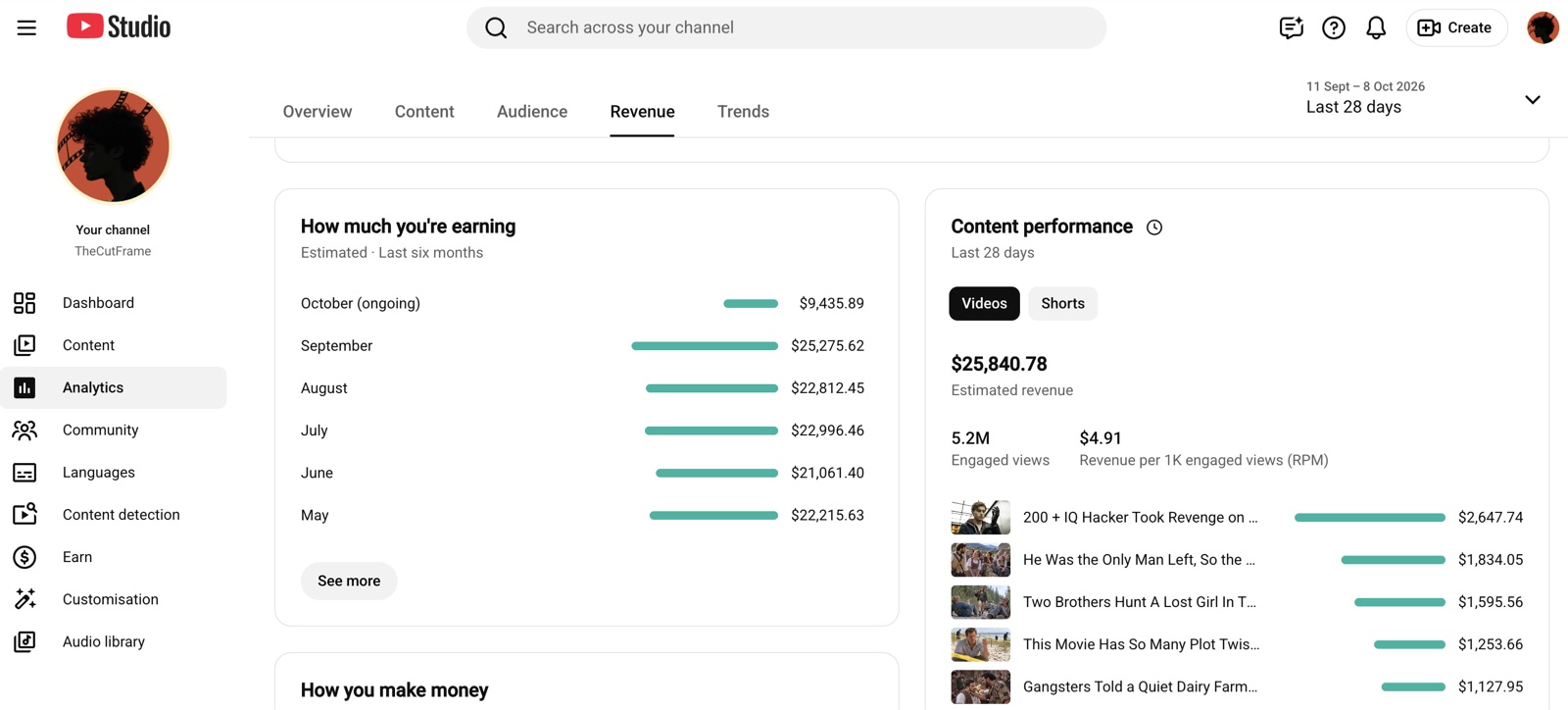
CHANNEL
REVENUE
Movie recap channel · last 28 days
ONE 10-MINUTE RECAP
5 hours by hand. 2 minutes with Instant Recap.
BY HAND
≈ 5 h
Watch the film and take notes
2 h
Write the recap script
30 min
Record the voiceover
30 min
Cut footage to the narration
1.5 h
Add captions and music
30 min
WITH INSTANT RECAP
≈ 2 minof your time
Download the movie with FlixiCamRuns on its own. You can step away.
~30 min
Drop in the file and pick settingsThe only part that needs you.
2 min
Script, voiceover, editing, captionsInstant Recap renders it. You can step away.
30–40 min
By hand
Runs alone
Your time
Downloading and rendering happen without you. Start the next download while the last recap renders.
Pricing
Pick how many recaps you need
Every plan is a monthly pool of credits. A 10-minute recap uses about 100.
MonthlyYearly SAVE 17%
STARTER
For your first recap channel$59/ MONTH
Billed monthly
400credits / month
≈ 4 Instant Recaps of 10 minutesFull Instant Recap: every length, narrator and script style
Credits work on every Bemfoo tool as it launches
Top up credits whenever you run low
PLUSMOST POPULAR
For channels posting every few days$149/ MONTH
Billed monthly
1,100credits / month
≈ 11 Instant Recaps of 10 minutesFull Instant Recap: every length, narrator and script style
Credits work on every Bemfoo tool as it launches
Top up credits whenever you run low
CREATORBEST VALUE
For running several channels$299/ MONTH
Billed monthly
2,400credits / month
≈ 24 Instant Recaps of 10 minutesFull Instant Recap: every length, narrator and script style
Credits work on every Bemfoo tool as it launches
Top up credits whenever you run low
Top up creditsRan out before the month is over? Add credits to any plan, any time.
FAQ
Questions before you start
Copyright, credits, and what you get from Bemfoo.
AllCopyrightInstant RecapCredits & plansBemfoo
Still stuck? Email supportWill my recaps get copyright claims?
Instant Recap is built to keep that risk low. Every recap is your own narration over short, constantly changing clips, with no long stretches of untouched footage, so it reads as commentary rather than a re-upload. Shorter recaps use less of the film and are claimed even less often. No tool can promise zero claims, but this is how working recap channels stay up.
Can recap channels actually get monetized?
What if a render fails, or YouTube blocks my recap?
What makes a recap transformative?
Do I need to edit anything afterwards?
Where do I get the movie file?
How long does a recap take?
How many credits does a recap use?
What happens when I run out?
Do unused monthly credits roll over?
Can I change or cancel my plan?
What is Bemfoo?
Do I need editing or voiceover experience?